Navigating Moodle
As you are moving through the course, there are several ways you can navigate through the materials.
To Move Between Modules: You can use the navigation tabs on the left to navigate between modules of the course.
To Open a Task: Forums, URLs, and assignment tasks are identified in the course in separate blocks with icons. To open the task, click the icon. After you complete the task, be sure to come back to the main module page by clicking the module title in the navigation bar on the left so you don't skip any tasks.
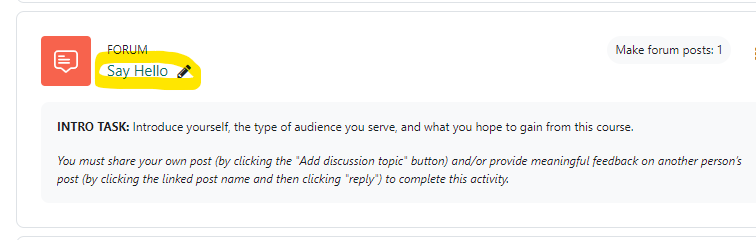
Based on previous student requests, most of our primary links default to open in a new tab. Alternate links have also been provided when core course material (journals, worksheets) is first introduced, if you prefer to open links in the same window and/or need better integration with screen readers and mobile devices.
Watch this video for a visual walk-through or view the video on YouTube in a new tab to turn on captioning (or open the video in YouTube in this window).